
The challenge
Restaurant challenges & problem
Running a restaurant is high-pressure and time-sensitive. Many hospitality teams still rely on outdated, stationary, or complicated POS systems that slow down tableside service, create everyday headaches for staff, and lead to lost revenue.
- Slow Order Processing: Complicated, multi-screen interfaces slow down waitstaff, especially during peak dining hours.
- Order Errors & Missing Context: Manual entries, hidden allergens, and confusing menu layouts lead to incorrect kitchen orders and unhappy guests.
- Difficult Menu Management & Staff Training: Updating items, prices, or availability across devices is time-consuming, while legacy POS tools take new staff too long to learn.
The Network Dine solution
Network Dine provides a simple, fast, and reliable mobile POS and interactive eMenu built specifically for modern restaurants — unifying ordering, bill splitting, and payment on a single handheld terminal.
- Faster Order Taking: An intuitive, thumb-friendly interface engineered for speed even during peak service hours.
- Accurate Orders & Easy Menu Updates: Clear eMenu layouts with required modifiers, live availability syncing across all devices, and real-time order confirmations.
- Real-Time Analytics & Quick Onboarding: Live tracking for sales and best-selling items paired with a clean workflow that gets new staff started in minutes.


User research & persona
What restaurant users need from a mobile POS
Understanding restaurant staff and guest needs directly shaped a simpler mobile POS and checkout experience for Network Dine. Our research across restaurant operators and floor staff revealed clear quantitative priorities and operational benchmarks:
- 45% Fast Checkout & 20% Easy Bill Split: Rapid access to bill settlement, per-guest split calculations, and contactless payments to improve table turnover.
- 25% Clear Menu & Modifiers + 10% Quick Staff Training: Scannable dish categories, dietary indicators, and self-explanatory navigation that prevent kitchen mistakes.
- 82% Fast Order Entry & 76% Simple Settlement Flow: Waitstaff prioritized fewer taps during peak service and clear itemized totals at checkout.
- 68% Modifier Clarity & 58% Quick Onboarding: Visible allergen tags, required flavor rules, and guided steps eliminate training friction.
User persona — Marco Santos (28, Waiter · Casual Dining, Dubai UAE)
To ground every interaction decision in real-world floor conditions, we modeled our primary persona around Marco Santos — a 28-year-old front-of-house waiter at The Olive Restaurant in Dubai, UAE ("A simple and reliable POS lets me focus on my guests, not the system"):
- Core Goals: Take guest orders quickly and accurately during peak hours, spend more time with guests and less on manual tasks, and ensure all orders are delivered correctly.
- Busy Hours & Menu Changes: Managing multiple tables simultaneously while keeping up with real-time menu updates and special dietary requests.
- Unstable Connection Resilience: Operating with an offline-ready POS system that can re-sync restaurant data seamlessly without losing active table state.


Competitor analysis, IA & app-to-app user flow
Competitor landscape, market gap & our approach
We benchmarked leading hospitality POS platforms — Foodics, Toast, and Oracle Simphony — to identify why existing tools still create friction on handheld payment terminals:
- The Market Gap: Many restaurant platforms focus heavily on back-office POS or operations alone, leaving a clear opportunity to unify staff ordering, bill splitting, checkout, admin tools, and restaurant data sync into one seamless Network Dine experience.
- Our Approach & Supervisor Terminal: Network Dine combines staff-facing ordering, payment flows, bill management, and Supervisor controls (Z-Report, Re-sync Restaurant Data, History, Settings, Manual Sale, Admin Logout) in one device.
- Unified Order #2536 Review: Active table bills surface Staff ID, Section, Opened time, itemized quantities, and instant actions for Pay Full, Split Bill, or Custom Payment.
Information architecture & app-to-app user flow
We translated our product strategy into a 6-pillar Information Architecture and an end-to-end App-to-App User Flow that guides waiters from login to receipts:
- 6-Pillar POS Sitemap: Structured around Onboarding, Home, Orders, Payments, Operations, and Profile so waitstaff and supervisors never get lost in nested menus.
- App-to-App User Flow: Maps the complete journey from Splash → Login (Enter Staff ID / Enter PIN / Forgot PIN?) → Home (Tables / Orders / Menu / Quick Actions) → Order Management.
- 4 Operational Branches: Connects Table Operations (View, Open, Merge, Transfer, Close Table), Order Actions (Add/Edit Items, Send to Kitchen, Special Instructions, Void/Cancel), Payments (Split Bill, Split by Item, Split Equally, Process Payment, Print Receipt), and More (Settings, Sync, Help & Support, Logout).


Design process & brand architecture
4-week UX design sprint
To deliver a cohesive app-to-app restaurant experience from concept to high-fidelity POS screens, I organized the design process into a structured 4-week sprint:
- 1st Day — Research: Audited restaurant service bottlenecks, tableside hardware ergonomics, and staff-to-kitchen handoffs.
- 1st Week — UX Flow & Wireframes: Mapped the complete app-to-app architecture connecting Staff Hub, Table Selection, eMenu, Dish Detail, and Checkout.
- 2nd & 3rd Week — Define & Iteration: Refined information density, quick-select table chips, collapsible menu categories, and modifier validation states.
- 4th Week — UI Design & Final Design: Crafted the high-contrast visual system, brand logotype geometry, and production-ready terminal screens.
Brand system & handheld ergonomics
The Network Dine identity balances banking-grade payment trust with warm hospitality usability:
- Precision Logotype Grid: Constructed on strict cap-height, x-height, and baseline proportions with the signature Network directional chevron.
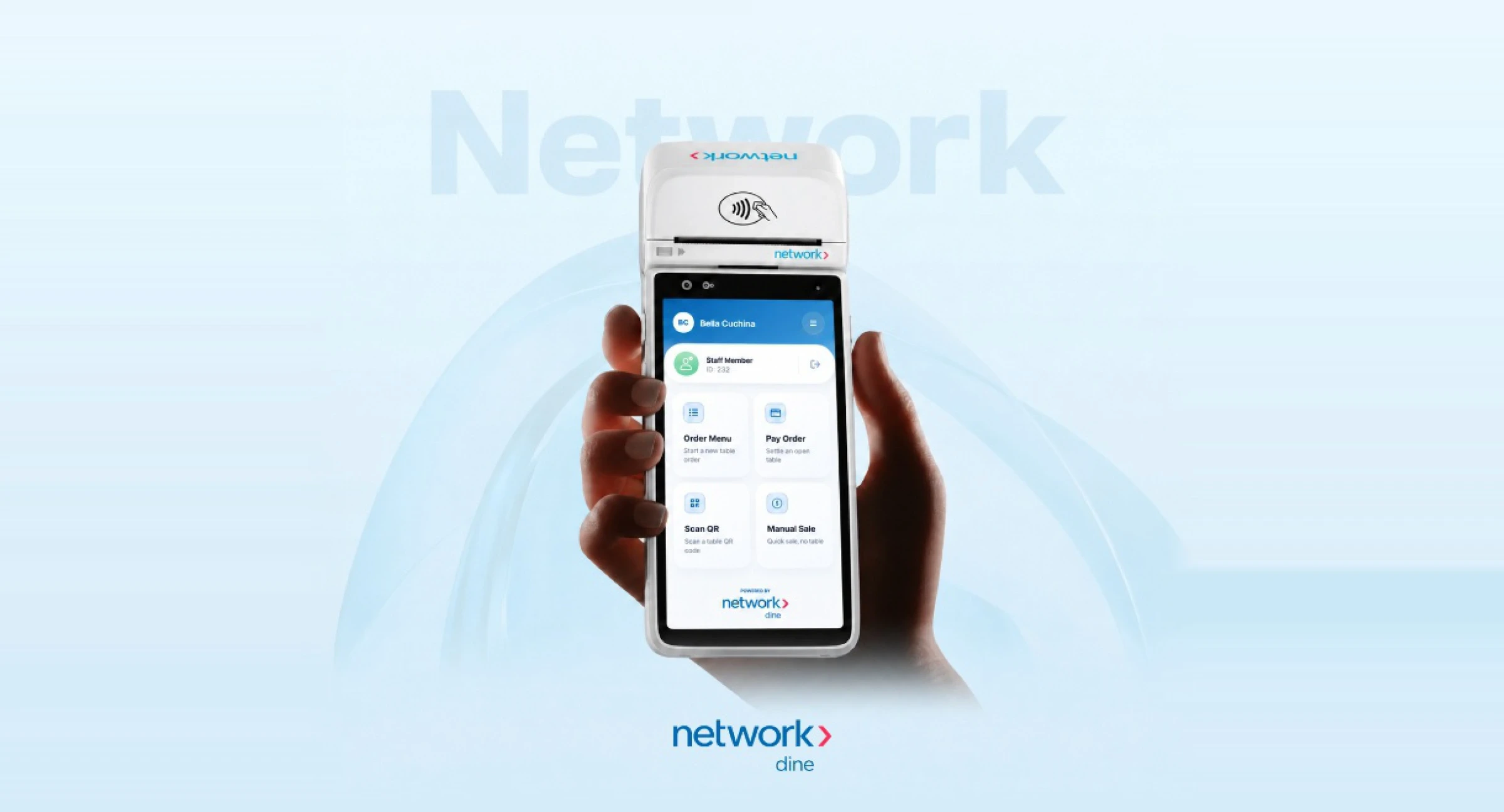
- Smart POS Hardware Optimization: Engineered for 5.5-inch handheld payment terminals with top-mounted NFC readers and thermal receipt printers.

Interactive eMenu & Take Order workflow
Interactive eMenu, nutritional macros & dish customization
The Network Dine eMenu helps servers and guests browse categories, inspect allergens and nutrition, and customize dishes smoothly for Table #1020 and beyond:
- Accordion Menu & Upfront Allergen Alerts: Collapsible categories (Starters, Pizza, Mains) display dietary warnings (Dairy, Gluten), inline quantity steppers (+ / -), and per-item “Instruction” notes.
- Rich Dish Detail Modal (Osso Buco alla Milanese): Combines a 5-photo swipeable gallery with Nutritional Info per serving (892 Kcal, 32g Protein, 98g Carbs, 38g Fat) and Allergen Information pills.
- Required Modifiers & Sticky Add CTA: Validates required preparation options before confirming item quantity and price (“Add · AED 36.00”).
6-step Take Order flow & kitchen confirmation
A focused ordering workflow guides waitstaff from selecting a table to sending verified tickets directly to the kitchen from one handheld POS:
- Steps 1–3 (Main Dashboard → Select Table → Add Items): Start from the Bella Cuchina dashboard, tap Take Order, enter or select Table #1020, and build the table’s order from the eMenu.
- Steps 4–5 (Customize Item → Review & Send Order): Check nutritional/allergen details, verify “Your Items” (e.g., Burrata con..., Calamari Fritti, “Less Dairy Please”), and use “Slide to Send Order” (Subtotal AED 32.34) to prevent accidental kitchen firing.
- Step 6 (Placed Successfully — Order #4022): Confirms “ORDER PLACED!” with instant options to Print Receipt or return Back to Home.


Pay Order, Split Payment & POS mockups
6-step Pay Order & thermal receipt workflow
Designed around the #1 user research priority (45% fast checkout), the Pay Order flow lets staff review bills, add tips, process contactless cards, and issue receipts on the spot:
- Steps 1–3 (Main Dashboard → Select Table → Review & Settle): Tap “Settle Bill” on the dashboard, choose Table #1020, verify Order #2536 items and subtotal (AED 65.00), and choose Pay Full, Split Bill, or Custom Payment.
- Step 4 (Checkout & Pay): Review the final bill breakdown (Item Price, Service Charge 10%, Tax 5%), select a waiter tip preset (AED 5, AED 10, AED 20, or Custom), and tap “Pay by Card” or “More Options”.
- Steps 5–6 (Payment Successful → Receipt & Complete): Confirms transaction #TXN-2026-102028, previews the itemized thermal receipt (Total Amount AED 106.33), and prints Merchant or Customer copies.
Split Payment (by item or equally) & 18-screen POS system
For group dining, the Split Payment workflow removes manual calculation headaches and tracks multi-guest settlement until the table is 100% paid:
- Split by Item (AED 74.03 Share): Guests select the specific dishes they ordered (e.g., Crispy Calamari AED 14.50, Seared Scallops AED 56.00) with a live circular progress ring showing their exact share of the AED 172.46 bill.
- Split Equally & Settlement Complete: Staff adjust the guest count stepper (2 Guests · Each Person Pays AED 37.54), track individual guest status (Guest 1 PAY vs. Guest 2 & 3 PAID), and reach the final “SETTLED!” confirmation screen.
- Curated 18-Screen POS Mockup Suite: Unifies Staff Sign-In (locked/unlocked states), 1/2/3/4-button modular home layouts, table keypads, eMenu, split modals, and supervisor tools into a cohesive hardware-ready design system.


